Most startup founders are running at capacity before 9am. You're the head of growth, the head of content, the analyst, and the ops manager. All at once.
The founders pulling ahead aren't necessarily better funded. They've figured out how to delegate more effectively, and faster, than everyone else. In 2026, a growing share of that delegation is going to AI.
Claude Cowork is Anthropic's agent for knowledge work. It doesn't just answer questions. It works across the files and tools you give it access to, completes multi-step tasks, and hands you finished work for review.
We've been running it inside Growth Division for months across reporting, research, and content. This piece covers the five applications that have actually stuck, what each one is worth, and, in a section most articles on this topic skip, where Cowork still falls short.
What Claude Cowork actually does
In a regular chat window, Claude responds but can't reach your files. In Cowork, you grant access to specific folders and connected tools. It works across all of them in a single pass, then delivers the output.
Point it at Slack, Google Drive, and a live website, and it queries all three without you stitching results together manually. Zapier's AI Automation Engineer, Larisa Cavallaro, calls this <cite index="13-1">"a fundamentally different kind of capability"</cite> compared to querying each tool separately and combining the answers yourself.
Cowork runs on the desktop app for macOS, Windows, ChromeOS, and Linux. Web and mobile versions are in beta. It's included in every paid Claude plan, Pro at $17/month on an annual subscription ($200 billed up front) or $20 monthly, Max from $100/month, and Team at $20 per seat/month annually. The free plan doesn't include it.
Beyond file access, Cowork works with plugins that bundle three things: connectors that wire it to tools you already use, skills that bake in domain knowledge, and sub-agents that handle specific tasks end to end.
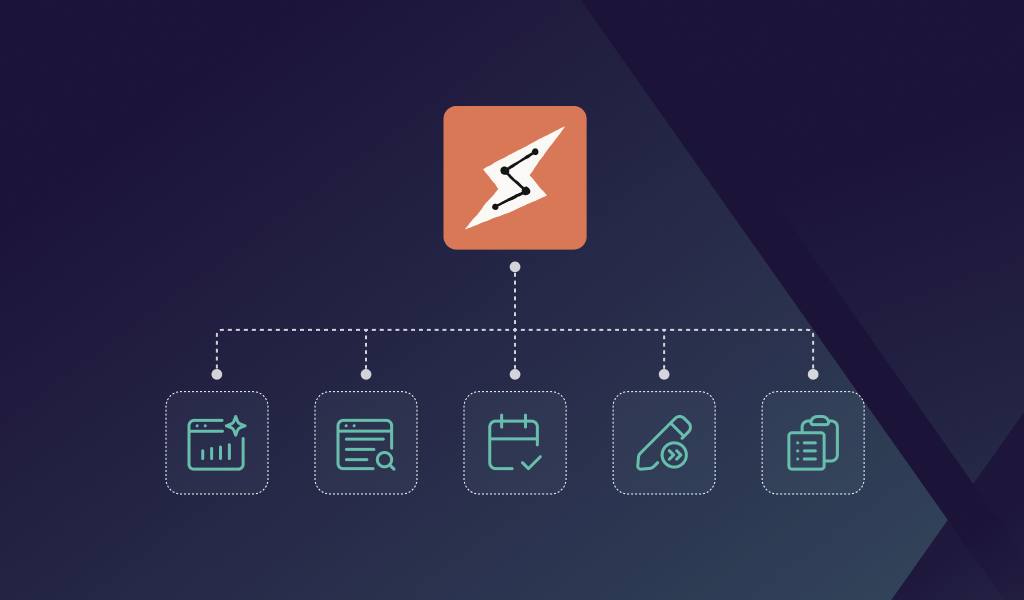
The 5 ways at a glance
Each of these is practical and set-up-able this week.
- Automate your weekly growth reporting
- Run competitor research on autopilot
- Walk into every meeting fully prepared
- Accelerate your content pipeline
- Delegate repetitive ops work for good
1. Automate your weekly growth reporting
Why this matters for growth
Growth reporting eats time. Pulling campaign data, checking analytics, and building a readable brief can easily burn two to three hours. That's Monday morning gone.
The deeper problem is consistency. When reporting is manual, it gets cut when things get busy. And when you stop tracking consistently, you lose the signal that tells you which channels are working. You end up making decisions on instinct rather than data.
With a scheduled Cowork task running weekly, that signal stays sharp. Whether you're deep in fundraising or shipping a product update, the data lands in your folder without you touching it.
How to set it up
Open Cowork on desktop and grant it access to the folder where your campaign exports and analytics files live. Then schedule a recurring weekly task:
"Every Monday at 8am, pull last week's campaign numbers, check our analytics folder for the weekly export, and build a 4-slide deck with performance notes and recommended actions for next week. Compare everything to the week before and flag anything that moved more than 10%. Save it to my reports folder."
Cowork runs the task at the scheduled time. You can start a task from your phone and Claude keeps working in the cloud even with your laptop closed — that's available on Pro, Max, and Team plans automatically, and Enterprise admins can opt in.
Connect Cowork to your analytics platform via a connector and it pulls live data instead of relying on exports, which removes the manual download step entirely.
What it's worth
For most founders doing their own growth reporting, pulling, formatting, and distributing a weekly brief runs three to four hours. Automating it returns most of that. Our weekly reporting at Growth Division dropped from hours to mere minutes.
The bigger win is that reporting becomes reliable rather than sporadic. Consistency is where the compound value actually comes from.
2. Run competitor research on autopilot
Why this matters for growth
Most founders do competitor research sporadically, if at all. You mean to check what rivals are shipping, but the cadence slips. Something more urgent takes the slot.
By the time you circle back, months have passed. You've missed pricing moves, product launches, or positioning shifts.
Your positioning is relative, not absolute. If a competitor drops their price or starts targeting your exact ICP, you need to know quickly. The teams that know first are the teams that adjust fastest.
Consistent tracking also feeds channel strategy. When a competitor leans hard into paid social, that's a data point about where they're finding traction.
How to set it up
Set a weekly recurring task:
"Every Friday, search for any new content, press releases, product updates, or pricing changes from [Competitor A] and [Competitor B]. Summarise what's changed and flag anything that could affect our positioning or channel strategy. Save the report to my competitive intel folder."
Cowork searches the web, reads your previous reports for context, and produces a structured brief. The output builds into a running log over time.
You can also point it at specific sources rather than open web searches. To track a competitor's pricing page or blog for changes, include those URLs directly in the instructions.
What it's worth
Competitive intelligence rarely gets done well in lean teams. The bottleneck isn't access to information, it's the time and discipline to collect it consistently.
A recurring task turns a quarterly scramble into a weekly habit at close to zero ongoing cost. You walk into every planning sprint knowing what's changed.
One caveat from our own use: Cowork is good at spotting that something changed and weak at telling you whether it matters. Treat the output as a monitoring layer, not analysis. The judgment call is still yours.
3. Walk into every meeting fully prepared
Why this matters for growth
Nothing kills credibility in a sales or investor meeting faster than sounding unprepared. Nothing builds trust faster than demonstrating you've done your homework.
The problem is that preparation takes time. Hunting through email threads, rereading CRM notes, checking for recent company news. Done properly across five meetings a week, it's two to three hours. Most founders skip it and wing it instead.
How to set it up
Connect your CRM, calendar, email, and any call recording tools via connectors. Then set a daily task:
"Every morning at 7am, check today's calendar. For each external meeting, pull everything we know about the company and the attendees from our CRM, summarise any recent email threads with them, note what we last agreed on, and flag anything new at their company. Format it as a one-page brief and save each one to my meetings folder."
Anthropic publishes a walkthrough of exactly this workflow, showing how their own sales team researches an account before a first call. It's one of the most directly transferable use cases for founders running a high-volume pipeline.
What it's worth
Five conversations a week with investors or customers is two hours or more of manual prep. One well-connected setup handles all of them.
The quality of prep tends to go up, not down, Cowork doesn't skip the email thread you'd have glossed over. Those details are often the difference between a warm call and a cold one.
4. Accelerate your content pipeline
Why this matters for growth
Content compounds. A startup that publishes consistently builds a channel that keeps paying out long after the original piece goes live.
But two to four articles a month, plus LinkedIn posts and a newsletter, is more than one person can sustain alongside everything else. At Growth Division we see this play out constantly with the founders we work with: the content plan is sound, the execution capacity isn't there.
Cowork closes part of that gap. It handles research, drafting, and formatting. It does not replace the editorial judgment that makes content good — and this article is a decent example of why. The first draft we generated contained a confidently invented product feature that didn't exist. A human catch, not an AI one.
How to do it in Cowork
Give Cowork your brand guidelines, a tone of voice brief, and a topic to work from. It researches the subject, writes a full draft, and saves it to your content folder.
Batch it monthly:
"Work through the list of 4 blog post titles attached. Research each one, write a full draft following the attached brand guidelines, and save each post as a markdown file in my content folder. Flag any claim you couldn't verify from a primary source."
That last instruction matters more than the rest. Ask for unverified claims to be flagged and you turn a fact-checking problem into a review checklist.
Cowork delivers actual files, not chat text - Word documents, decks, spreadsheets, structured markdown. It reads and writes .docx, .pptx, .xlsx, .pdf, .csv, .md and most common formats.
You can also use it for individual parts of the process. Point it at a competitor's article and ask what's missing. Give it a customer call transcript and ask for the three most compelling insights.
What it's worth
The honest version: AI drafting compresses the research-and-first-draft stage substantially, and adds a fact-checking stage that didn't exist before. Net, it's still faster, but only if you build the checking step in rather than assuming the draft is clean.
For SEO and content-led growth, that's the difference between publishing consistently and publishing when you find the time.
📕 If you're building a content-led growth channel, read our guide to running structured growth experiments for early-stage startups.
5. Delegate repetitive ops work for good
Why this matters for growth
Every startup has a pile of tasks that are important but mindless. File organisation, data compilation, document formatting, inbox triage. Individually, 15 to 30 minutes each. Weekly, they add up to hours per person.
The trap is treating these as too small to systemise. They feel like part of the job rather than a drag on it. But every hour on tactical work is an hour not spent on strategy, relationships, and experiment design.
How to do it in Cowork
Cowork can open your file system, read through a folder, rename files to a consistent format, and sort them by category. Give it a folder of contracts, and it renames each by client and date, then sorts by status. Give it a folder of weekly exports, and it consolidates them into a single formatted report.
Anthropic's own examples run in the same direction, pointing Cowork at a folder of inbound agreements and a playbook document, and getting back a memo per contract with every departure cited to the clause number.
For data tasks, Cowork connects to your spreadsheet tools and pulls multiple sources into one formatted output. If you've been manually copying figures from three places every week for a board update, that's a candidate.
Computer use extends this further. Cowork can navigate apps that don't have a connector by driving the browser or, as a last resort, your screen. Worth knowing before you build a workflow on it: this is still in research preview, and Claude reaches for connectors first and the screen last. Treat it as a fallback rather than a foundation.
What it's worth
For a five-person startup where everyone wears multiple hats, this is meaningful capacity returned to work that requires actual judgment.
The goal isn't to automate everything. It's to stop spending strategic hours on tactical work.
What Claude Cowork won't do (yet)
Most articles on this topic stop at the good bit. Here's what you should know before you commit a workflow to it.
It burns through usage limits. Anthropic is explicit that Cowork consumes plan limits faster than chat, because agentic tasks coordinate multiple sub-agents and tool calls. If you're on Pro and running daily scheduled tasks, expect to hit limits and consider Max.
Audit logging isn't there yet. On Enterprise plans, Cowork activity is not currently captured in audit logs or the Compliance API. Analytics API and OpenTelemetry observability are available. If you're in a regulated space, that gap decides which workflows are appropriate — not the price tier.
It needs a review step. Cowork produces confident, well-formatted output whether or not the underlying facts are right. Every workflow above assumes a human reads the result before it goes anywhere.
Web and mobile are still in beta. The full experience, including access to local folders and applications, is on desktop.
Permissions are worth configuring properly. You choose which folders and tools Claude can reach, and it can't touch anything outside them. Deleting anything requires your approval. Enable the permission settings so Claude shows its plan and waits before doing anything significant.
Common questions about Claude Cowork
Do I need technical skills to use it? No. Cowork works through natural language. You describe what you want in plain English. No code, no workflow builder, no configuration beyond connecting your folders and tools.
Is it safe to give Cowork access to my business files? You control exactly which folders and tools it can access, and it can't reach anything outside them. Deleting anything requires your explicit approval. You can also enable permission settings so Claude shows its plan and waits for approval before significant actions, and stop or redirect it at any step. For Team and Enterprise accounts, admins can set access by team and control tool permissions by department.
What's the difference between Cowork and Claude Code? Claude Code is built for software engineering: writing, debugging, and shipping code. Cowork is built for non-coding knowledge work: research, analysis, document creation, and multi-step tasks. Both use the same agentic approach.
How much does Claude Cowork cost? It's included in every paid Claude plan and isn't sold separately. Pro is $17/month on an annual subscription ($200 billed up front) or $20 billed monthly. Max is $100/month (5x usage) or $200/month (20x). Team is $20 per seat/month annually, $25 monthly, and includes the Slack connector on standard and premium seats. Enterprise is $20/seat plus usage at API rates. The free plan doesn't include Cowork. Check claude.com/pricing for current figures.
Will it replace my team? No. It's a delegation tool. It handles the repeatable, time-consuming work. Your team stays focused on thinking, relationships, and the judgment calls that drive growth.
Can I use it for multiple tasks at once? Yes. Cowork splits larger projects into chunks that run together: drafting, researching, and organising in parallel.
Conclusion: start delegating before your competitors do
Cowork isn't magic. It works best when you give it clear instructions, the right file access, context about your business, and a human review step at the end. Get those four things right and the compound time savings are real.
The weekly report runs itself. The meeting briefs are ready before you start work. The content queue moves without you pushing it.
At Growth Division, we've always built the leanest possible team for outsized growth results, unbiased strategy, vetted fractional experts, structured experiments, and tooling that genuinely takes work off your plate. Cowork fits squarely into that model, which is why we run it internally rather than just writing about it.
If you want a growth team that already knows how to use this stuff, contact Growth Division. We'll help you find scalable channels without the overhead of full-time hires or the bias of a single-channel agency.



.png)
.png)